
How Family Link works, at a glance.
One system, five points of view. Pick a role to see the whole journey in a single picture.
Parent or Guardian journey
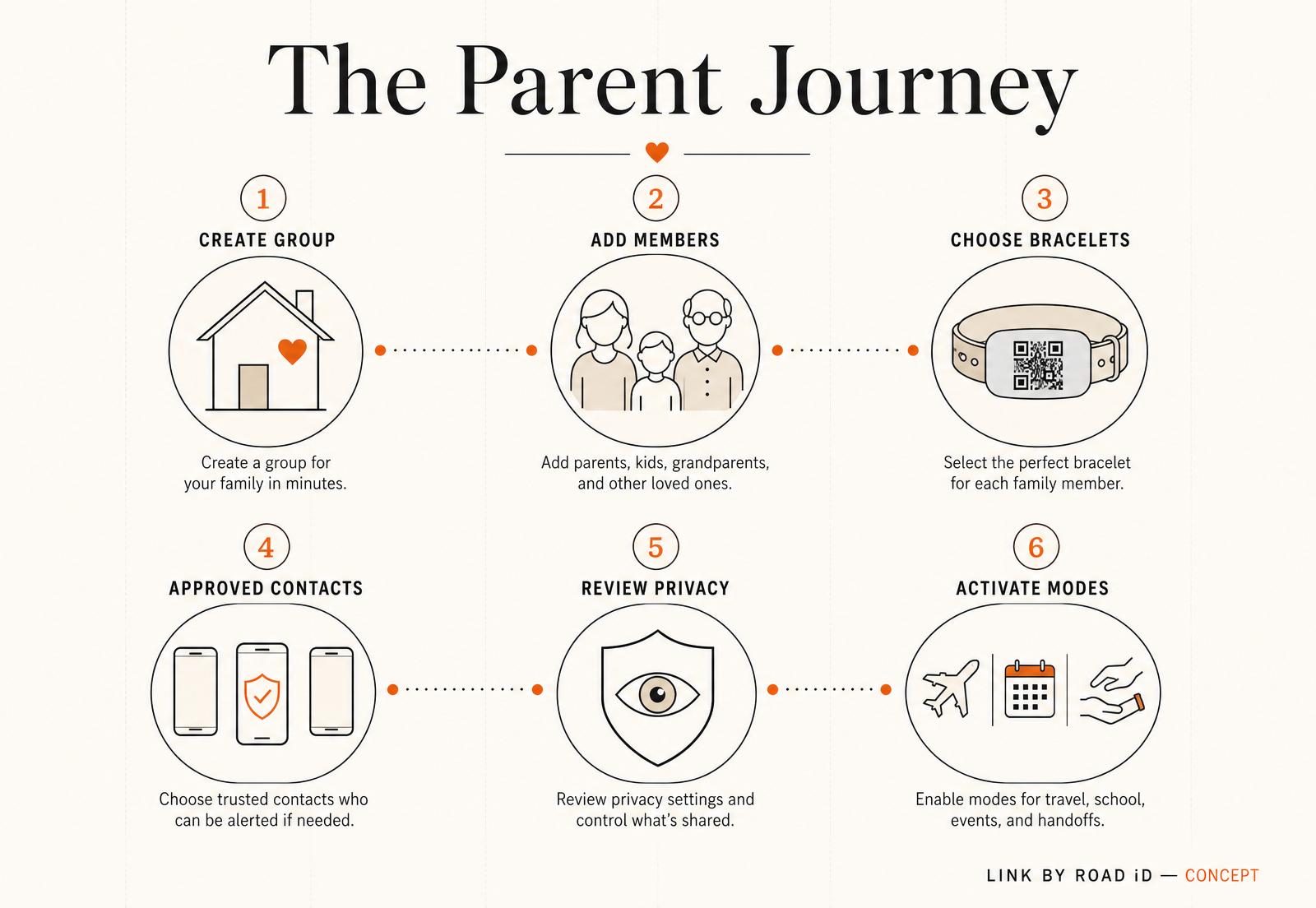
Set up your Family Group once — refine as life changes.
- 01
Create Family Group
A shared home for everyone in your family.
- 02
Add family members
A private profile for each person.
- 03
Choose bracelets
Engraved bracelets and QR plates for each wrist.
- 04
Set approved contacts
Decide who a finder can reach, and in what order.
- 05
Review privacy
Choose what's visible on each finder page.
- 06
Activate modes
Trip, event, or caregiver modes when needed.
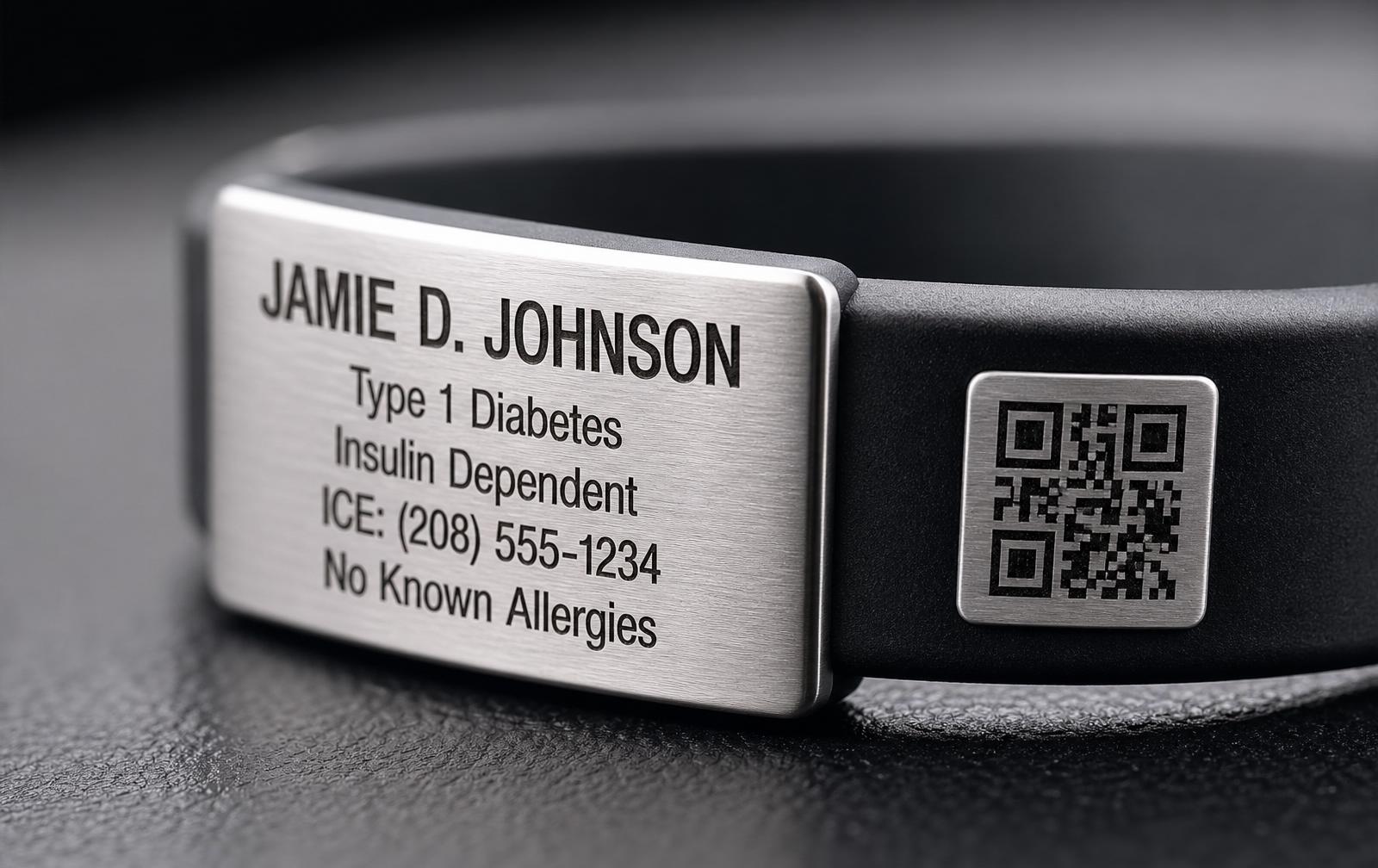
Dual-plate construction
Both plates matter.
The primary plate provides immediate human-readable information. The side QR plate opens the connected Family Link experience for anyone with a smartphone.
Ready to see it in action?
Preview scenario stories in the Demo Preview—no real scanning, calls, or data collection.